(Case study) — AI platform · SaaS · Web app
NExa
Create learning. Amplify knowledge.
- Project type
- Website design · UI/UX design
- Category
- AI platform · SaaS · Web app
- Tools
- Figma, Adobe Photoshop
- Location · Year
- Bengaluru, India · 2026
“We need an integrated AI platform that lets our team research, write and generate content without switching between tools.”
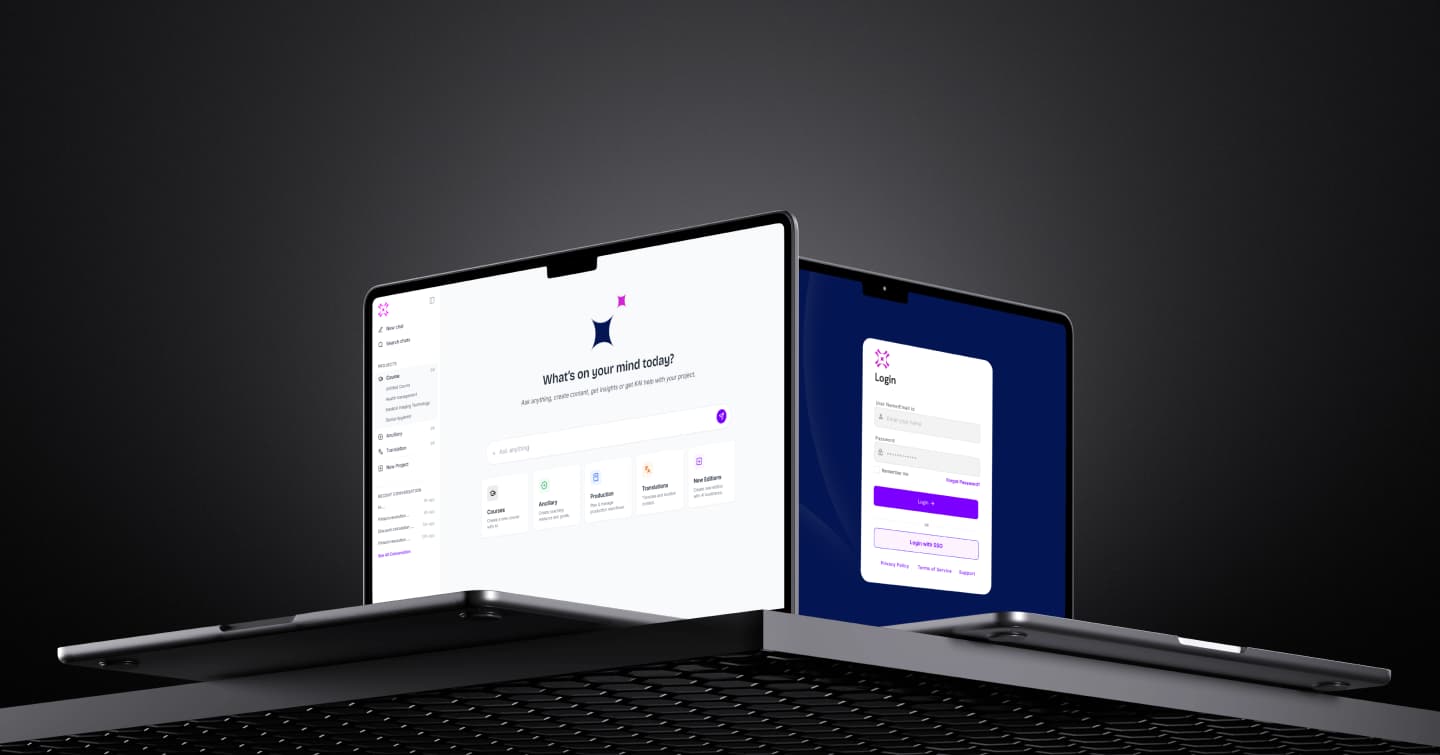
A modern landing and product concept for an AI platform that helps people research, write and create smarter with multiple AI models in one place. The goal: a clean, intuitive, conversion-focused interface that turns complex AI capability into an easy, engaging experience.
Road map & timeline
Three phases from research to a presentation-ready design system.
- Phase 01Discovery & strategyMarket analysisUser mappingAI logic & strategy
- Phase 02Architecture & designInformation architectureComplex wireframingHigh-fidelity UI design
- Phase 03Final presentationDesign documentation3D assets & iconsCase presentation
Problems & solutions
From scattered tools to one focused workspace.
Many AI platforms have complex interfaces, scattered tools and a poor experience. Switching between tools for writing, research and content creation kills productivity.
- Difficult navigation between AI tools
- No unified workspace
- Overwhelming interface design
- Inefficient content-creation workflow
A user-centred SaaS interface that simplifies workflows and puts every AI tool within easy reach — focused on clarity, accessibility and speed.
- Clean, modern SaaS interface
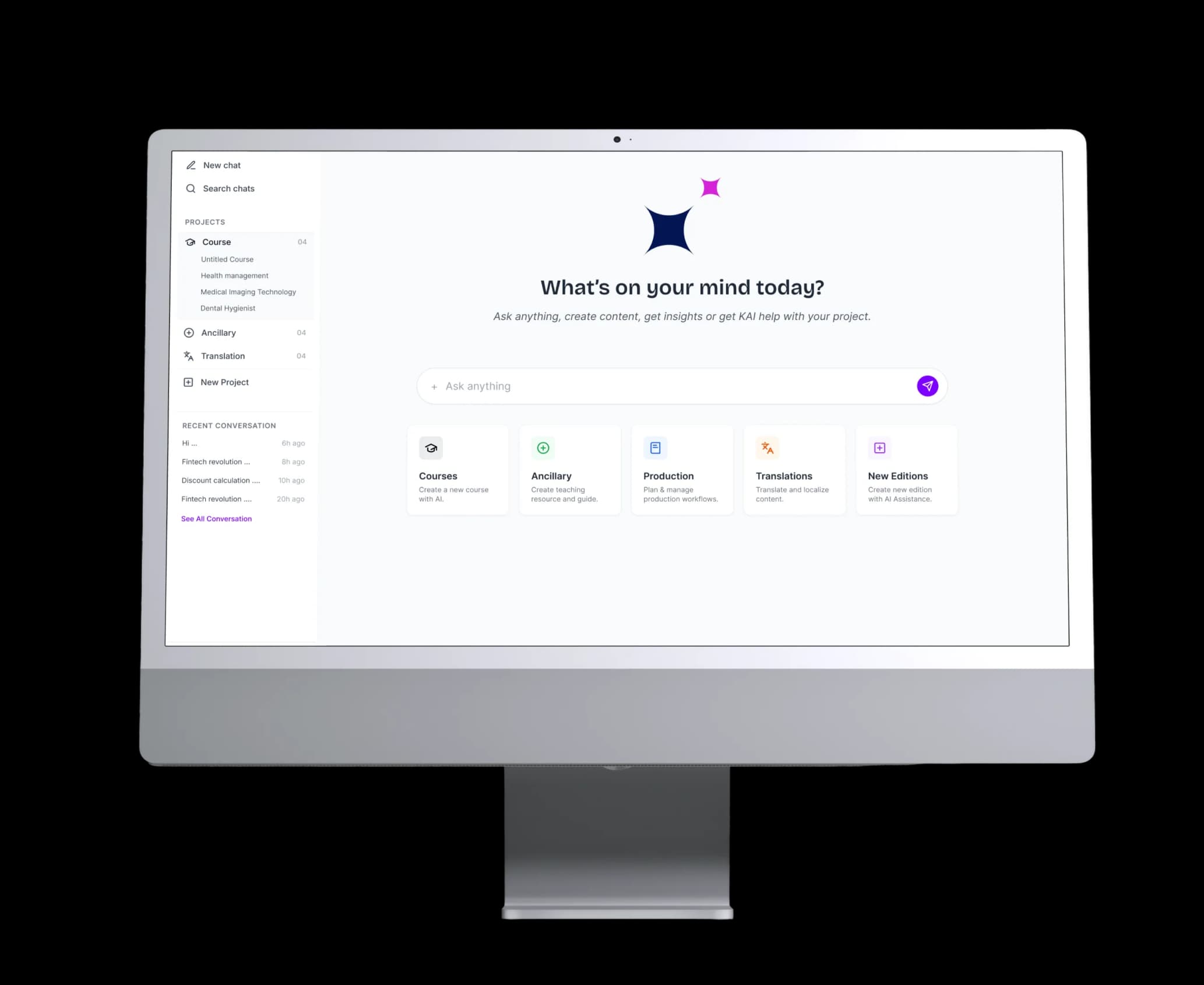
- Smart card-based feature layout
- Integrated AI tools in one platform
- Clear hierarchy and improved navigation
- Minimal design for better usability
Typography & colour
Inter’s modernist precision anchors an AI-centric product — complex data stays readable with a premium, forward-looking feel.
Inter
0123456789 · Aa Bb Cc Dd Ee Ff Gg
Smarter features for faster execution
Access the leading AI chat models in one place — compare answers, switch models instantly, chat with any PDF and translate with natural accuracy.
Courses
Create engaging, structured, personalised courses from a topic, objectives or source material — modules, lessons, activities and assessments, ready to review and refine.
Teaching resources & guides
Generate lesson plans, study guides, discussion material, worksheets and assessments that match each teaching style and learner need.
Content analyzer
Check learning content for clarity, accuracy and alignment with objectives — spotting gaps, inconsistencies and readability issues with actionable fixes.
Translations
Translate courses and resources into many languages while keeping meaning, tone, terminology and cultural context intact.
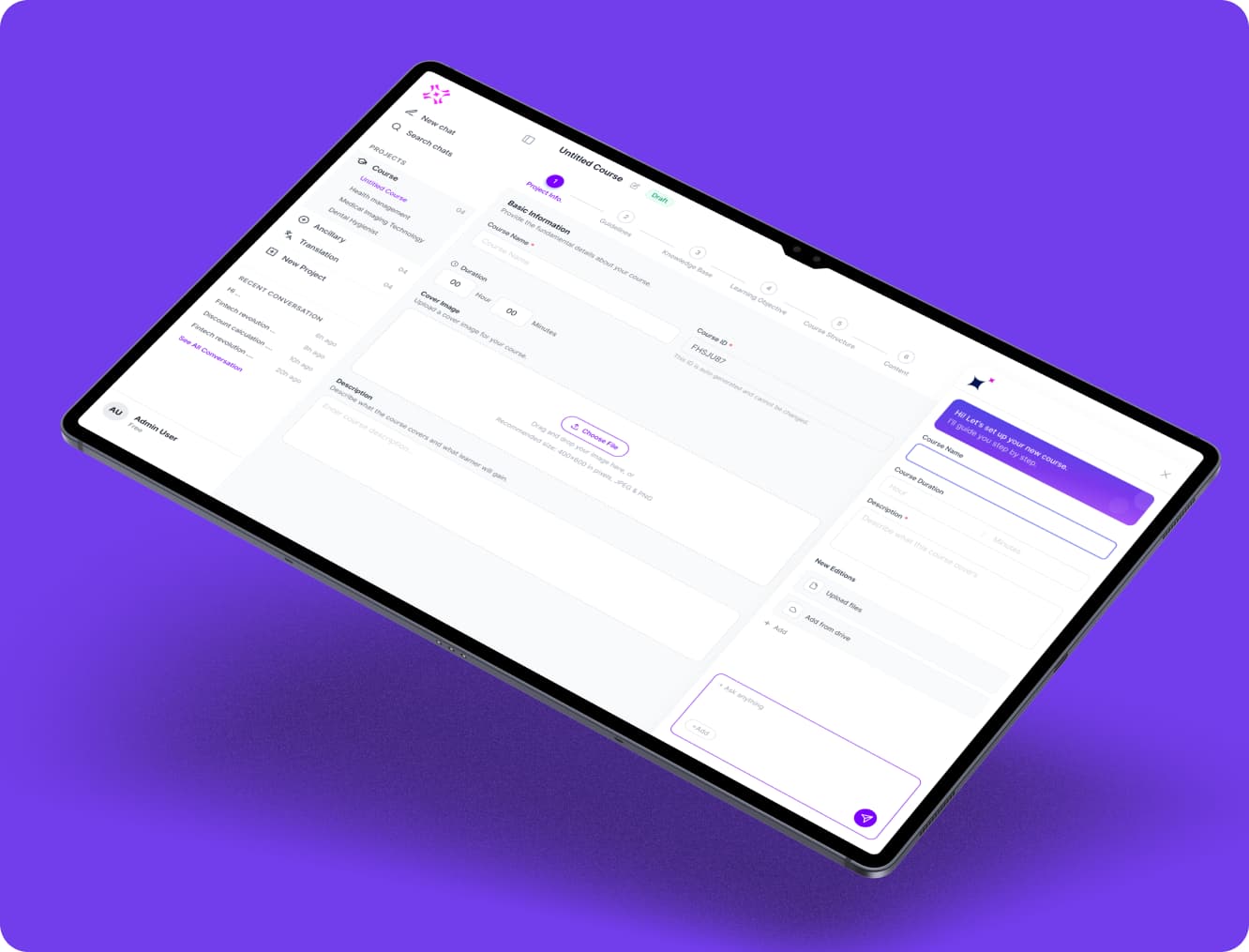
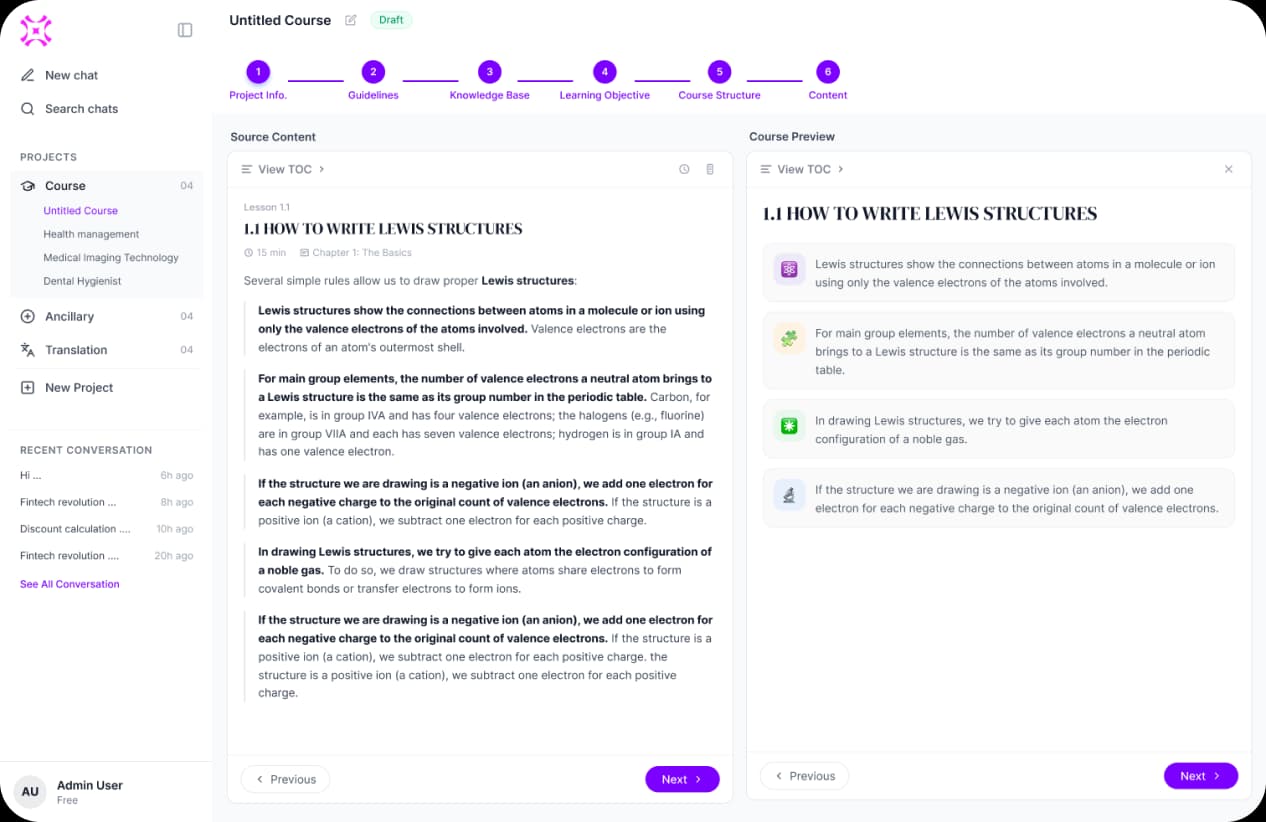
Course creation flow
Six guided steps with an AI assistant alongside — from project info to a complete, previewable course.
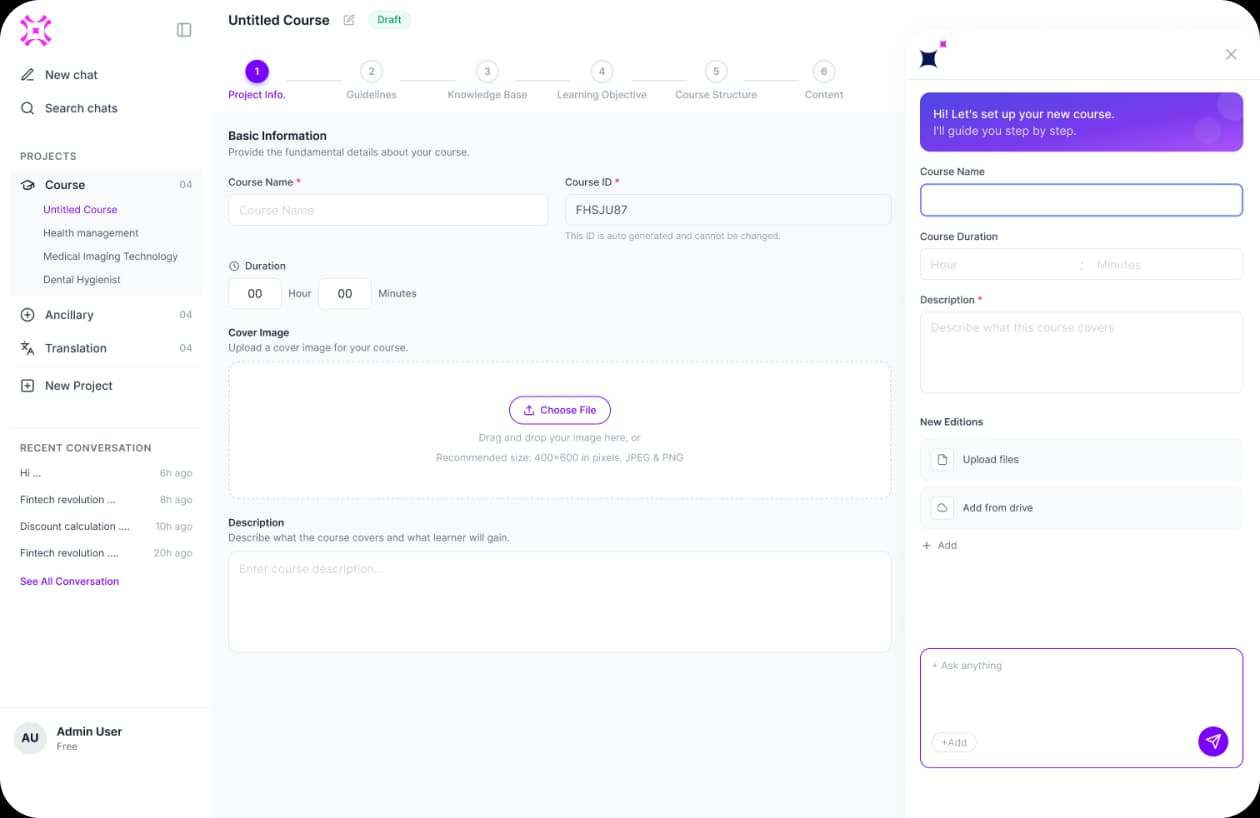
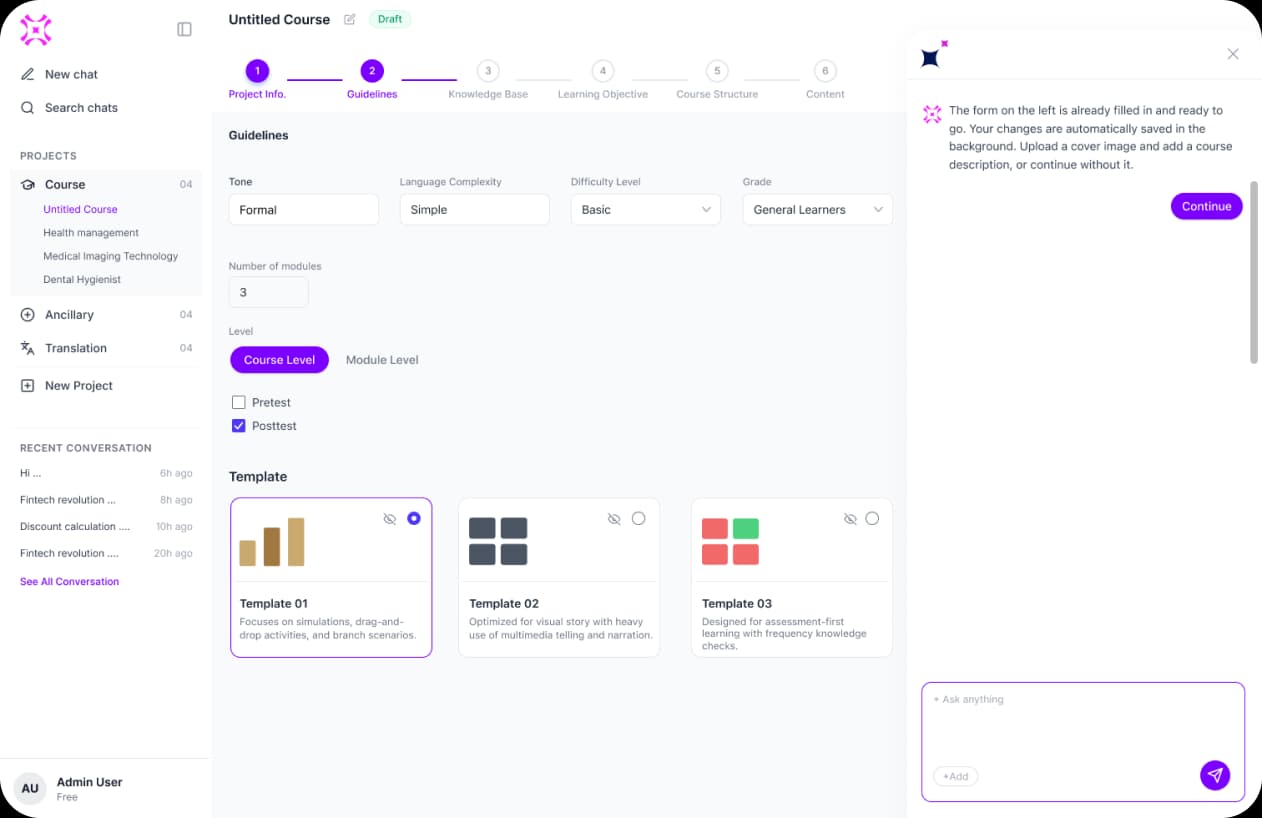
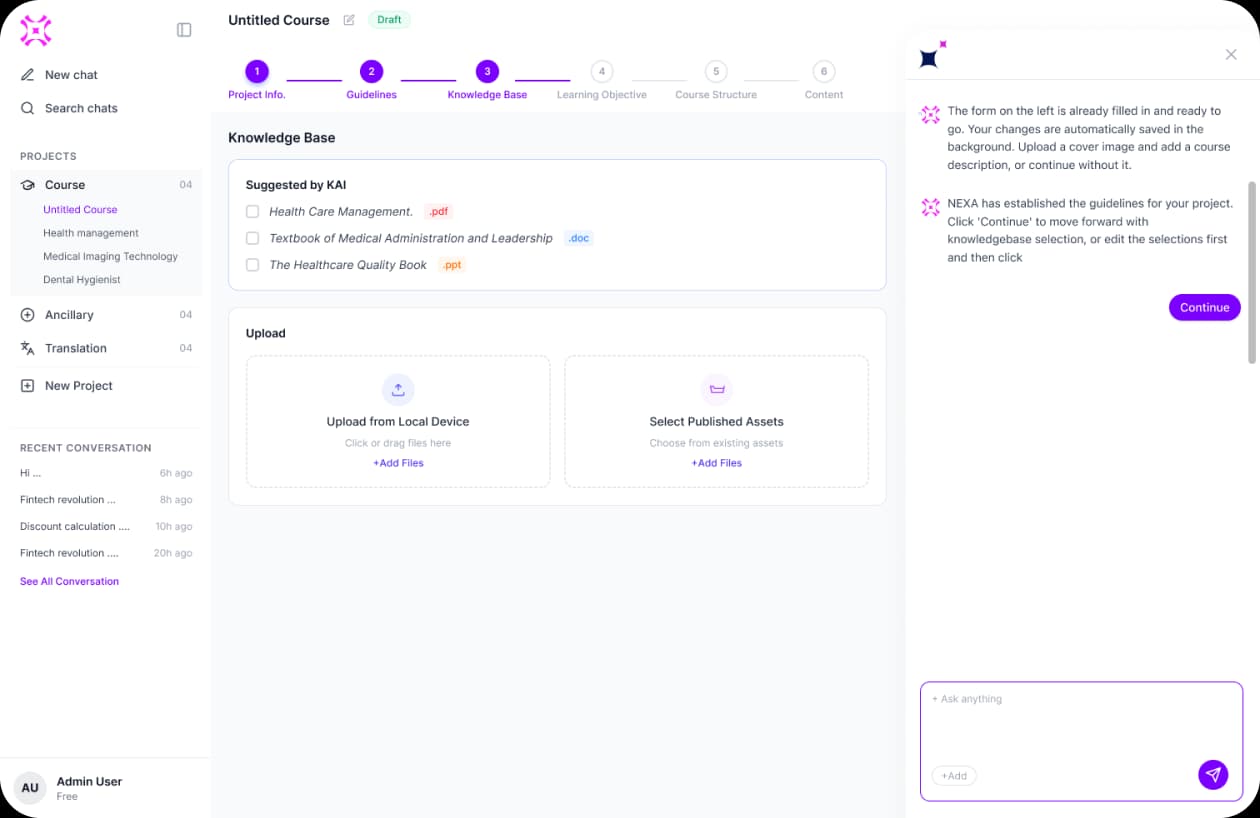
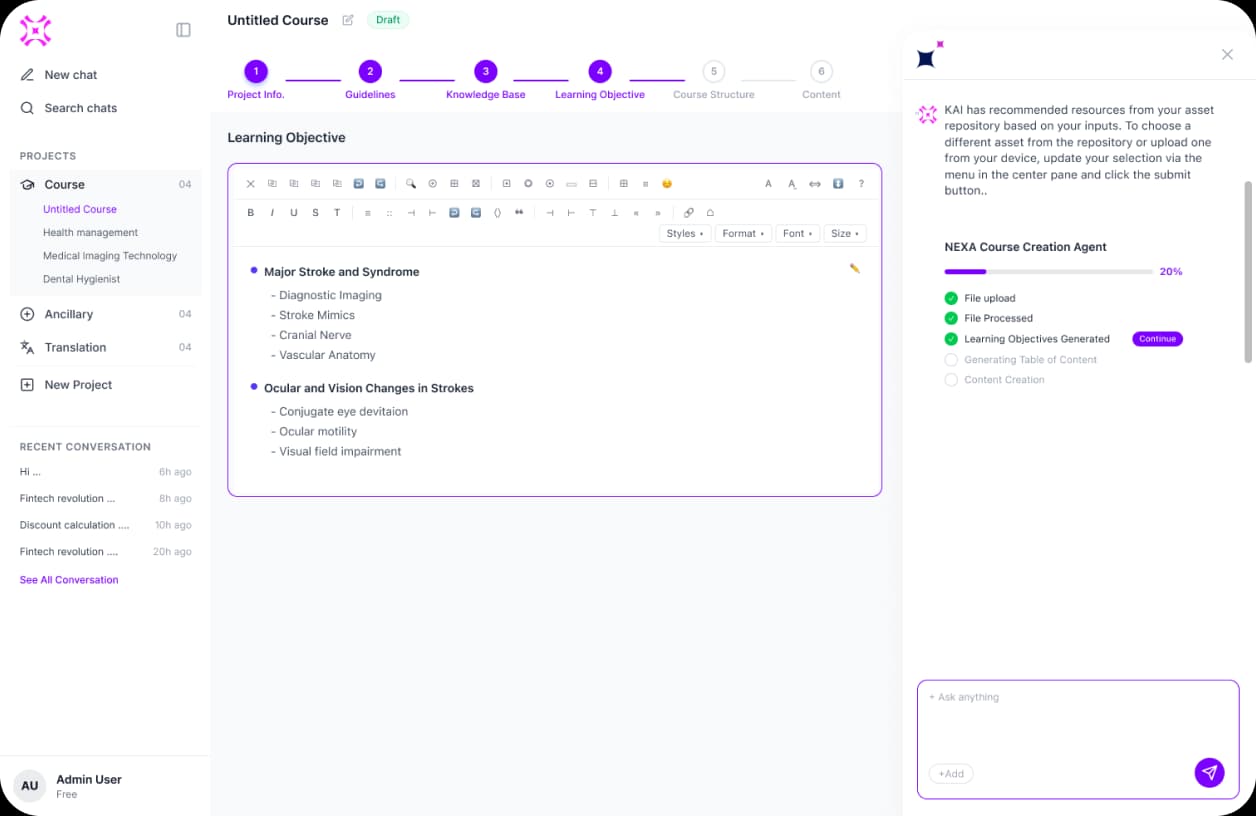
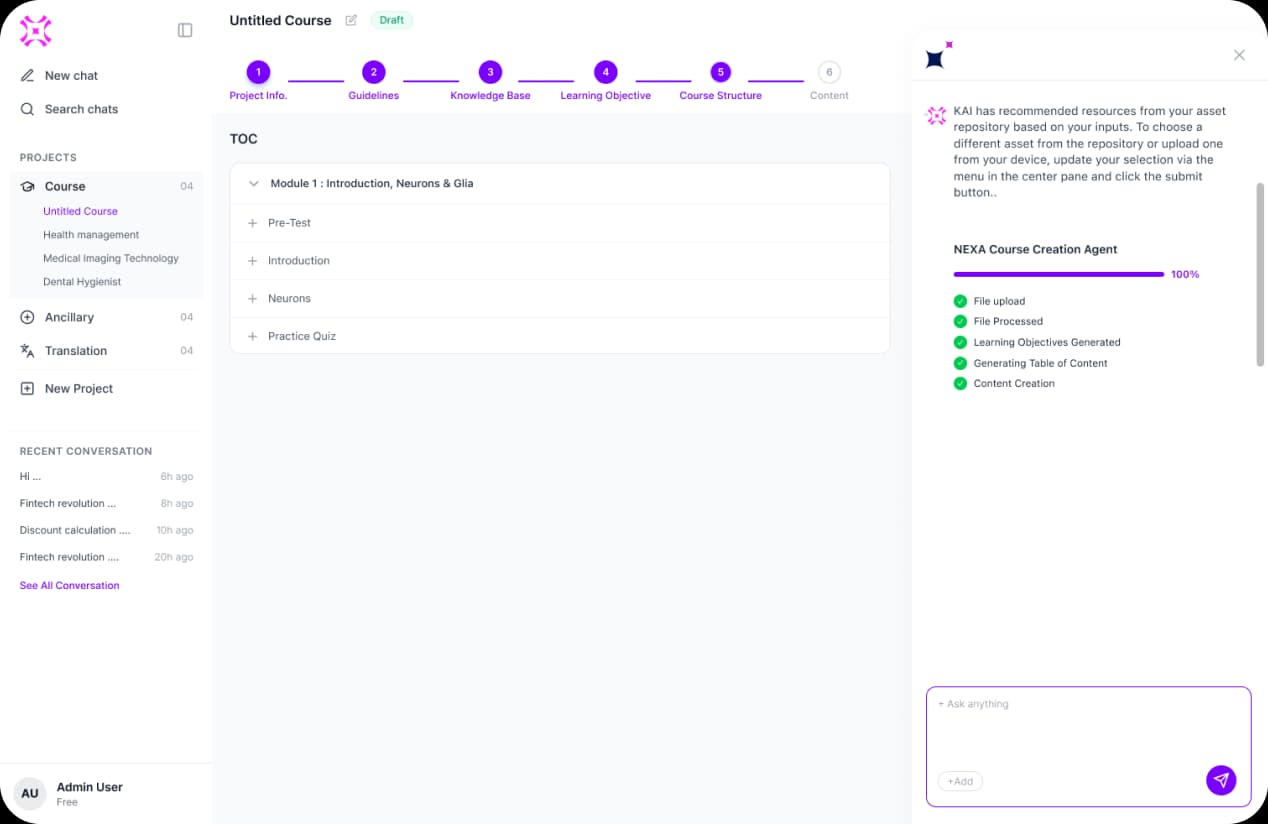
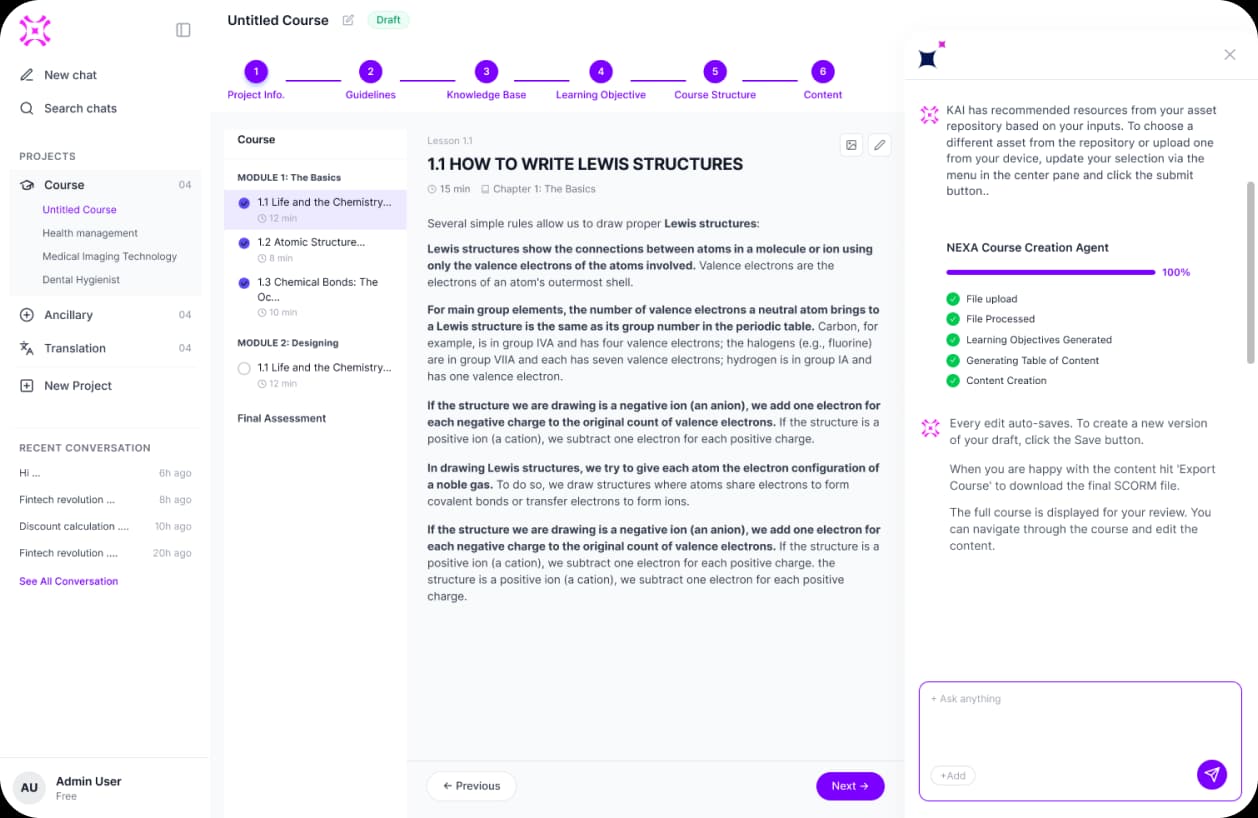
Source content & course preview
Final screens
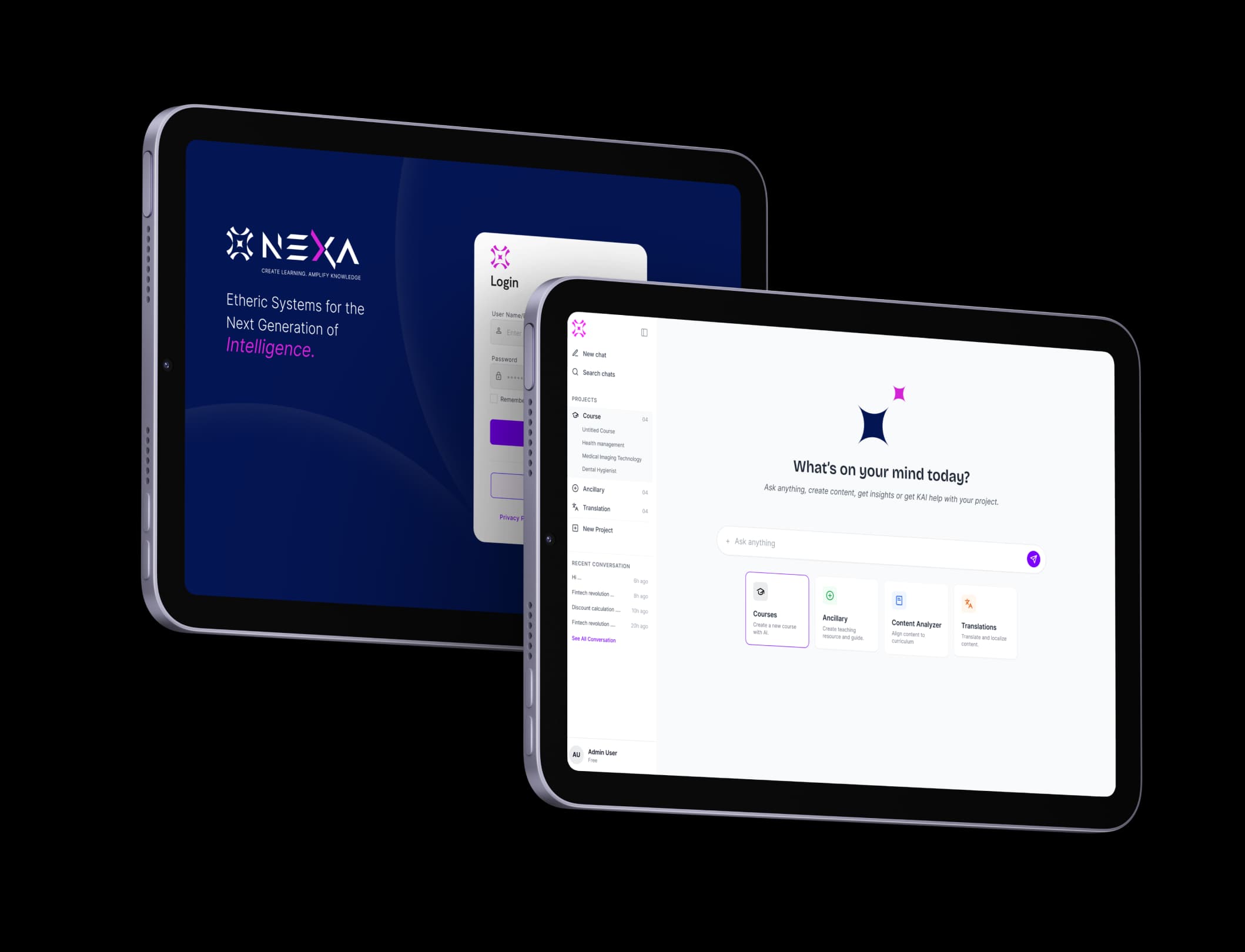
Login and home on tablet — the NEXA brand and the AI workspace side by side.